
There are a lot of scenarios where you might find yourself wanting to synchronize WordPress user data with an outside source. You might have a database of employees and any time a change is made to their contact information or position in your organization, you’d like those changes to be applied to your company’s website. Or perhaps you have customer relationship management software and any updates made to a customer’s address, should also be applied to their account on your site. It might even just be easier for you to keep track of a list of users’ information in a spreadsheet, and you’d like changes to the spreadsheet to be automatically applied to the user accounts on your website. Whatever the situation, making those updates in two places can be tedious and prone to inconsistencies.
Fortunately WordPress is a powerful and flexible platform, and there are multiple approaches available to synchronize WordPress user data with an outside data source.
Consider your data
Before we get to those options, there are a couple points to consider:
- Data often has its own personality, so set your expectations accordingly. In other words, one solution does not fit all situations.
- Even if you won’t be doing the development yourself, knowing your needs and options gives you a good head start in figuring out where to begin and what to ask for from your WordPress developer.
For instance, you can easily check to see if there are equivalent fields in your WordPress site for the data that you will want to synchronize. Maybe the default user fields are already enough, or perhaps a third-party plugin such as WooCommerce has provided the additional fields you want to keep updated. If the fields don’t exist yet, a plugin like Advanced Custom Fields can make the process of getting those fields added relatively straightforward.
Now let’s consider two possible approaches to keeping your website’s user data up-to-date with an outside source. Which option is better suited to your situation, depends largely on the outside source that is being synced to the site.
WordPress REST API
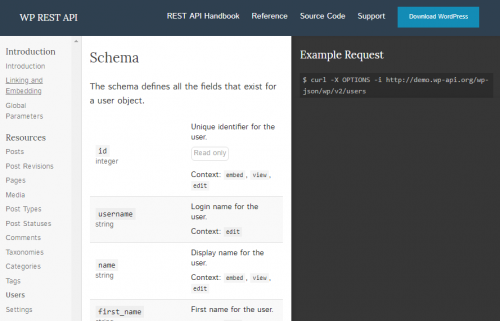
Since version 4.4, WordPress (now v4.97) has included a system (WordPress REST API) that allows an external script to send commands that add, edit, delete or retrieve data and content stored in WordPress, just as if it had been done manually through the administration area. The API makes all sorts of nifty things possible, like creating a custom mobile app that can update your website, or using WordPress to power a blog on a completely different platform, or in this case, allowing another system to add and update user data.
Using the WordPress API is an excellent option when the source for the updates is another website. The other site would be set up to execute a script every time changes were made to the relevant data. The script would format the data appropriately to be recognized by WordPress and would then send the data securely to the WordPress API and WordPress would handle the rest. The updates would be made immediately, unless the script was set up to only run periodically (which might be preferable or necessary in some cases). In most cases, the only configuration that would need happen on the WordPress side, would be setting up a means for the connection to be secure. This approach even makes it possible to sync the data bi-directionally, since a script could also retrieve update data from WordPress.
Manual / Automated File Upload
What if the source for the updates isn’t another website or program that can incorporate a script for communicating with WordPress? As long as the source has the ability to export the data, there are still good options for syncing the data with WordPress, without needing to make the changes twice.
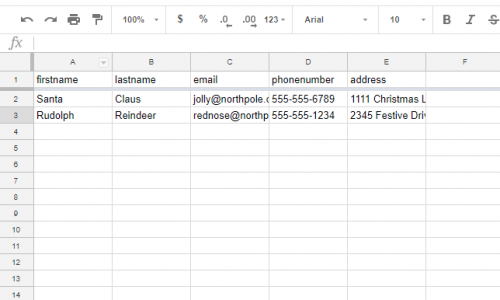
This method requires the development of a plugin to monitor a folder on the WordPress server for new files. When a file is uploaded to the folder, the plugin pulls the data out, parses it, and applies any new or updated data to the site. Ideally the uploaded file would be a CSV (a simple text file containing spreadsheet data, separated by commas), although other formats could potentially be used also. Nearly all database systems will include the ability to export data to a CSV file. In some cases, it is even possible to set it up to export the file directly to the server folder that the WordPress plugin is monitoring, making the syncing process almost entirely automated. But in most cases, the file will need to be exported and then manually uploaded, either through the use of an FTP client (software that allows you to securely connect to a web server’s file system) or a custom upload field added to the WordPress administration area.
Conclusion
WordPress is powerful and flexible! Although we’ve specifically talked about a case where you’d want to sychronize user data with your WordPress site, these approaches would work equally well for updating content and other data. Just because there isn’t an integrated feature or available plugin suited to your needs, doesn’t mean that WordPress hasn’t provided the tools to create a system that does what you need it to. If these options give you ideas for new ways you could be using your site or raise questions about other possibilities, contact us and we’d be happy to help you come up with solutions that make your site more powerful, or just make your life easier.









